
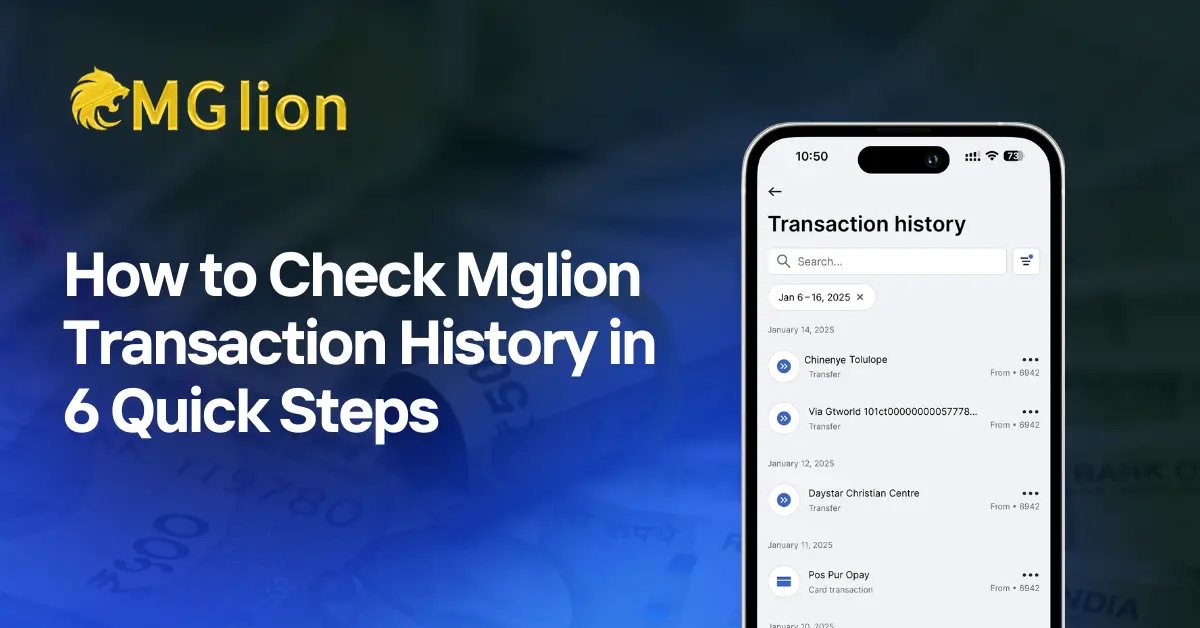
Mglion is one of the leading online betting platforms in India, specialising in cricket betting, sports betting, live casino games and more. With its user-friendly interface, fast deposits/withdrawals & secure environment. Millions of users trust the Mglion platform for its online gaming ID needs. Whether you are betting on IPL, playing live dealer games or enjoying slots, keeping a track of the financial activities is most important.
The most common thing that comes to users minds is: How do I view my transaction history on MGlion? The transaction history consists of details like deposits, withdrawals, betting wins/losses, bonuses credited and all other activities of the online betting ID account. Tracking this aids you in managing bankroll, verifying payments, & stay in control of your gaming.
In this comprehensive guide, we’ll walk you through every step to access & understand the MGlion transaction history. Let’s dive in!
Why is Seeing the Transaction History Important on MGlion
Transparency & Account Clarity
MGlion transaction history shows every deposit, withdrawal & bet in a single place. It helps you to clearly know how your balance changes over time, giving you full control & confidence while using the best online betting ID platform. Simply login Mglion co & track the account activity anytime.
Smart Budget Control
By checking the transaction history on the MGlion betting platform, you can easily manage your betting budget. Reviewing past spending helps you to set limits, avoid unnecessary losses and enjoy a smoother gaming experience on the best online betting platform.
Better Betting Insights
Transaction history on MGlion will reveal valuable insights into your betting habits. By analysing wins, losses and betting amounts, you can simply refine your strategy and make smarter betting decisions. Start reviewing your betting history on MGlion.co & improve your betting experience today.
Quick Issue Resolution
If the payment is delayed or appears incorrect, your transaction history helps support faster resolution. You simply have to send the clear records of dates & amounts to the MGlion WhatsApp number. And then your issue can be resolved quickly by the support team, ensuring a worry-free betting experience.
Enhanced Security & Peace of Mind
Regularly examining the transaction history on MGlion co helps you to spot unusual activity sooner. This keeps your online betting ID account safer, strengthens security and gives you peace of mind while enjoying sports betting & live casino games playing on MGlion.
What You Need Before You Begin to View Transaction History
Before you check the history, ensure that you have all these ready:
- An Active Account: You must have the Mglion login ID
- Login Details: Keep your username & password secure at the online betting platform.
- Stable Internet: A stable data connection or Wi-Fi will make the process faster.
- Official App or Site: Use the official MGlion website or download the latest version of the MGlion app.
Safety Tip: Only log in via the official links to keep the money safe. The MGlion platform will never ask for a password via text message or phone call.

How to View Transaction History on MGlion: Step-by-Step Guide
Step 1: Visit the Official MGlion Website
To view a transaction history on the MGlion betting site, first open the secure web browser on the mobile or desktop. Type the Mglion keyword in the search bar & ensure that you first get the genuine site, which is verified by Google. Avoid clicking on third-party or unknown links to safeguard your online betting ID account. Once a homepage loads, check its security signs like HTTPS in the address bar. Using the official Mg lion site, ensure your login details & transaction data stay safe & confidential.
Step 2: Log in to the MGlion Account
After reaching to the official Mglion website, tap on the login button usually found at the top of the page. Enter the registered mobile number or username along with the password or OTP. Ensure that the details are correct before submitting to the online betting ID platform. Once you have logged in successfully, you will be redirected to the account dashboard. The dashboard is the control centre where you can access the wallet info, betting insights & the complete transaction history.
Step 3: Open My Account or Profile Section at MGlion
At the Mglion dashboard, look for my account, profile or user icon option. This section covers all personal account settings & activity details. Tap on it to access the wallet information, security settings & history logs. The layout may slightly differ between mobile & desktop versions, but the account section is always easy to find. Thus, it’s essential to reach your transaction records speedily & accurately at the online betting ID site.
Step 4: Select “Transaction History” or “Account Statement”
Inside an account menu, explore the option named Transaction, wallet history or account statement on the MGlionco platform. This section consists of all the personal account settings & activity details. Tap on this option to show a detailed list of financial activities. You will see the deposits, withdrawals, bets placed, wins and bonus credits. Each entry on Mglion shows the date, amount & status. This page will give you a whole overview of how money is cash-in & out of the Mglion betting account.
Step 5: Use Data Filters to Find Certain Transactions
Mglion co platform permits the users to filter transaction history by opting the certain date range. You can also choose options like the past 7 days or 30 days, or else set a custom date range. This feature is most useful while searching for a certain deposit, withdrawal or bet. Applying these filters helps to reduce the jargon & makes it easier to locate certain transactions quickly. Always double-check the selected dates to ensure accurate results at the online betting ID provider platform in India.
Step 6: Review & Verify Transaction Details
Once your transaction history displays, carefully review each entry at online betting platform. Check transaction type, amount, date & status to ensure everything is perfect. If in any case, the transaction is pending, allow some time for processing. For the complicated transactions, note down details for your personal tracking or future reference. Regularly reviewing your history helps you in budget management, stay secure & enjoy a smoother betting experience on the Mglion.co platform.
Transaction Types You Can See on the Mglion co platform
Mg lion co keeps a detailed record of all your account activities, so that you can always track your financial situation & betting performance. Knowing transaction types helps you to stay in control of the money & make smarter betting decisions. Here’s what you can expect in the Mglion transaction history:
- Deposits: Every time you add money to your Mglion account, the deposit is recorded. The history shows an amount, date, payment mode & deposit status. This helps you in verifying that your funds have been successfully credited & giving transparency in your account.
- Withdrawals: Whenever you withdraw money from your online betting ID account, the transaction history logs the cash out amount, request date and recent status. By keeping a check of withdarwlas ensures that, you can verify funds leaving the account & rapidly identify all delays or errors.
- Place a Bet: All the bets you place on cricket, sports or casino games are recorded with gaming details, stake amount & date. This allows you to review the betting patterns, track wins and losses, and improve the betting strategy over time.
- Wins & Losses: Mglion co platform will clearly show all winning amounts credited to the account & losing bets are removed. Reviewing this aids you to analyse performance, learn trends & adjust the gameplay to maximise profits.
- Bonus Credits: Bonuses, free bets or promotional credits you get are also added to the transaction history. This permits you to track bonus usage & expiry date, ensuring you make the most of all promotions given by Mglion online betting ID.
- Referral Rewards or Cashback: If you refer friends or participate in cashback offers, then these credits are viewed in your transaction history with all details. The referring person should only need to enter the MGlion referral code & enjoy a safe & smooth betting experience.
By reviewing all these transaction types regularly, you can remain organised, manage bankroll effectively and enjoy a safer & smoother experience on the MGlion betting platform.
How to Check Deposit & Withdrawal History on MGlion Betting Platform
Check Deposit History on Mglion
If you want to see only the money you added to your Mglion account, checking deposit history is simple. Go to the Transaction History section and use the filter to select Deposit. You will see all deposits with details like date, amount, payment method, and status. If a deposit does not appear instantly, wait a few minutes or refresh the page. Keeping track of deposits helps ensure your money is safe, and every transaction is recorded accurately.
Check Withdrawal History on Mglion
To track money you’ve taken out of Mglion, check the Withdrawal History in your transaction section. You will see amounts withdrawn, request dates, and current status, like pending, approved, or completed. If a withdrawal is taking longer than expected, the history provides transaction IDs to share with support for faster resolution. Monitoring withdrawals helps you manage funds efficiently and ensures a smooth and worry-free betting experience.
For real-time updates on deposits, withdrawals, bonuses, and platform news, you can follow the Mglion Telegram channel, where all announcements are shared instantly.
Common Transaction Issues & How to Fix Them (MGlion)
Sometimes, the users may encounter issues with transactions on Mglion.Co. Here are some common issues & quick solutions:
- Deposit not shown: Refresh page or check the preferred payment method; contact support if delayed. Message them on the online betting ID contact number.
- Withdrawal pending too time-consuming: Use a transaction ID when contacting support for faster resolution via the MG lion support team.
- Bonus not credited: Verify bonus terms & examine the history for credit details from online betting ID.
- Transaction missing: Ensure that the correct date is selected at the online betting ID site, reach out to support of Mglion if required.
Final Thoughts: Stay in Control with MGlion Safer Transaction
Checking the transaction history on MGlion is one of the smartest habits that every bettor should have. It aids you to track deposits, bets, wins, losses and bonuses all in one place. By simply reviewing the online betting ID account regularly, managing the bankroll better, avoiding complications, and enjoying a safer betting experience. MGlion platform gives you full confidence while betting on sports and live casino games.
Login Mglion today, check transaction history & take complete control of your betting activities.
Frequently Asked Questions (FAQs)
Can I view my transaction history on the Mglion?
Yes, you can check transaction history on both the Mglion betting website and the official app.
What should I do if a transaction is missing?
Check the selected date range first. If it’s still missing, reach out to Mglion support. Text them on their online betting ID contact number.
Is it safe to check transaction history on Mglion?
Yes, as long as you log in through the official Mglion website or app only.